载入中...
搜索中...
未找到
AnyCAD.Foundation.RenderingEngine类 参考
内部使用的渲染引擎. 更多...
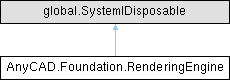
类 AnyCAD.Foundation.RenderingEngine 继承关系图:
Public 成员函数 | |
| RenderingEngine (global::System.IntPtr cPtr, bool cMemoryOwn) | |
| 仅供内部使用 | |
| void | Dispose () |
静态 Public 成员函数 | |
| static void | SetUseRendering (bool enabled) |
| static bool | Initialize (bool standalone) |
| 初始化 | |
| static bool | Initialize () |
| 初始化 | |
| static void | Destroy () |
| 释放资源 | |
| static string | GetProgramPath () |
| 获取程序根路径 | |
| static bool | SetRenderPipeline (string name) |
| 设置渲染管线。 | |
| static Viewer | CreateView (long hwndHost, uint width, uint height) |
| 基于已有的窗口控件上创建三维显示视图 | |
| static Viewer | CreateWindow3D (string title, uint width, uint height, bool visible) |
| 创建一个独立的三维窗口 | |
| static long | CreateChildWindow (long parent, int width, int height) |
| static void | DestoryChildWindow (long child) |
| static Vector2 | GetDpiScale () |
| 获取当前屏幕缩放系数 | |
| static void | SetDpiScaling (float ratio) |
| 自定义屏幕缩放系数 | |
| static void | Log (EnumLoggingLevel level, string msg) |
| static bool | RegisterSdk (string a, string b, string d, string e, string f) |
| static Cursor | CreateCursor (Image pImage, int hotX, int hotY) |
| 创建光标 | |
| static void | SetRecord (bool enabled) |
| 内部方法,调试使用 | |
| static void | SetLang (string lang) |
| 设置语言 | |
详细描述
内部使用的渲染引擎.
成员函数说明
◆ CreateCursor()
创建光标
- 参数
-
pImage 图片,宽度和高度必须是8的倍数 hotX 热点X hotY 热点Y
- 返回
- Cursor对象
◆ CreateView()
|
static |
基于已有的窗口控件上创建三维显示视图
- 参数
-
hwndHost 宿主窗口的句柄 width 视图宽度 height 视图高度
- 返回
- 创建的视图对象
◆ CreateWindow3D()
|
static |
创建一个独立的三维窗口
- 参数
-
title 窗口标题 width 窗口宽度 height 窗口高度 visible 是否可见
- 返回
- 创建的视图(窗口)对象
◆ GetDpiScale()
|
static |
获取当前屏幕缩放系数
- 返回
- 比例
◆ GetProgramPath()
|
static |
获取程序根路径
- 返回
- 目录
◆ Initialize() [1/2]
|
static |
初始化
- 返回
- 是否成功
◆ Initialize() [2/2]
|
static |
初始化
- 参数
-
standalone 独立窗口模式
- 返回
- 是否成功
◆ SetDpiScaling()
|
static |
自定义屏幕缩放系数
- 参数
-
ratio 比例
◆ SetLang()
|
static |
设置语言
- 参数
-
lang enu、chs
◆ SetRecord()
|
static |
内部方法,调试使用
- 参数
-
enabled 开关
◆ SetRenderPipeline()
|
static |
设置渲染管线。
- 参数
-
name 设置"Basic"为性能模式。
- 返回
- 是否成功