载入中...
搜索中...
未找到
AnyCAD.Foundation.ScreenShot类 参考
屏幕截图类 更多...
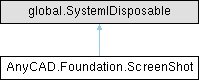
类 AnyCAD.Foundation.ScreenShot 继承关系图:
Public 成员函数 | |
| ScreenShot (global::System.IntPtr cPtr, bool cMemoryOwn) | |
| 仅供内部使用 | |
| void | Dispose () |
| ScreenShot (MemoryImage img, Camera camera) | |
| 构造函数 | |
| MemoryImage | GetImage () |
| Camera | GetCamera () |
| Vector3 | ReadColor (uint x, uint y) |
| 读取指定像素的颜色 | |
| Vector3 | ReadColor (Vector3 worldPt) |
| 读取世界坐标对应的颜色 | |
| void | ToBGR () |
| 转换为BGR格式 | |
| bool | SaveFile (string fileName) |
| 保存为文件 | |
| Uint8List | CreateMemoryImage () |
| 创建内存图像数据 | |
| int | SampleGBR (Vector3 worldPt, int offset) |
| 采样GBR颜色 | |
| bool | SaveFile (string fileName, uint width, uint height) |
| 按指定尺寸保存文件 | |
详细描述
屏幕截图类
捕获当前视图的屏幕图像,支持保存为文件和颜色采样。 包含图像数据和相机信息,可用于后期处理和测量。
构造及析构函数说明
◆ ScreenShot()
| AnyCAD.Foundation.ScreenShot.ScreenShot | ( | MemoryImage | img, |
| Camera | camera ) |
构造函数
- 参数
-
img 内存图像智能指针 camera 相机指针
创建屏幕截图并关联图像和相机数据
成员函数说明
◆ CreateMemoryImage()
| Uint8List AnyCAD.Foundation.ScreenShot.CreateMemoryImage | ( | ) |
创建内存图像数据
- 返回
- 字节向量
将截图转换为内存中的字节流,用于网络传输或进一步处理
◆ ReadColor() [1/2]
| Vector3 AnyCAD.Foundation.ScreenShot.ReadColor | ( | uint | x, |
| uint | y ) |
读取指定像素的颜色
- 参数
-
x X坐标(像素) y Y坐标(像素)
- 返回
- RGB颜色向量
从截图中获取指定位置的颜色值
◆ ReadColor() [2/2]
读取世界坐标对应的颜色
- 参数
-
worldPt 世界空间坐标
- 返回
- RGB颜色向量
将世界坐标投影到屏幕后读取颜色
◆ SampleGBR()
| int AnyCAD.Foundation.ScreenShot.SampleGBR | ( | Vector3 | worldPt, |
| int | offset ) |
采样GBR颜色
- 参数
-
worldPt 世界空间位置 offset 偏移量
- 返回
- 颜色分量索引(0:R, 1:B, 2:G)
根据世界坐标采样颜色,返回指定通道的值
◆ SaveFile() [1/2]
| bool AnyCAD.Foundation.ScreenShot.SaveFile | ( | string | fileName | ) |
保存为文件
- 参数
-
fileName 文件路径(UTF-8编码)
- 返回
- true表示成功,false表示失败
将截图保存为图像文件(PNG/JPG等)
◆ SaveFile() [2/2]
| bool AnyCAD.Foundation.ScreenShot.SaveFile | ( | string | fileName, |
| uint | width, | ||
| uint | height ) |
按指定尺寸保存文件
- 参数
-
fileName 文件路径(UTF-8编码) width 输出宽度 height 输出高度
- 返回
- true表示成功,false表示失败
将截图缩放至指定尺寸后保存
◆ ToBGR()
| void AnyCAD.Foundation.ScreenShot.ToBGR | ( | ) |
转换为BGR格式
将图像数据从RGB转换为BGR格式(OpenCV兼容)